
Summarize with AI
Every day, thousands of people post on Reddit, X (Twitter), and Hacker News saying things like:
- "I've been using [tool] for years but it's gotten too expensive — what do people switch to?"
- "Looking for the best tool to manage customer feedback. What are you all using?"
- "Our current software is driving me insane. Anyone dealt with this before?"
These are not random complaints. They are buying signals — real people, in the moment, describing a problem your product might solve. The challenge is finding them before the moment passes.
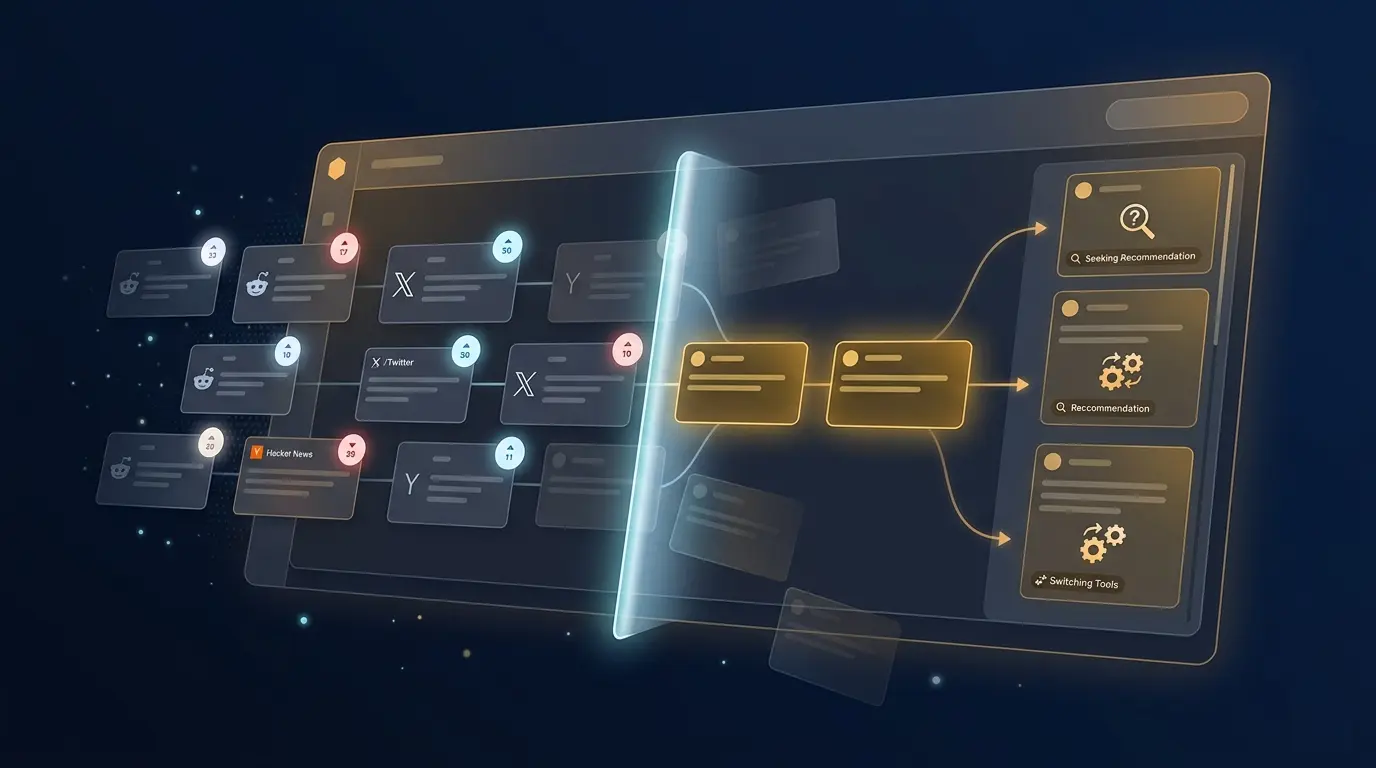
Buying Signals automates this entirely. You tell Reddinbox what your product does, and it monitors Reddit, X and Hacker News around the clock, surfacing every relevant conversation so you can jump in at the right time.
What Is a Buying Signal?
A buying signal is a post or comment where someone describes purchase intent, not just a general opinion or a passing mention. It's the difference between "I use Notion" (mention) and "what should I switch to instead of Notion?" (signal). Reddinbox scores each candidate post from 1-100 and sorts it into one of six intent categories:
| Category | Example | Best response |
|---|---|---|
| Seeking Recommendation | "What's the best tool for X?" | Respond directly — they want suggestions |
| Comparing Alternatives | "X vs Y, which is better?" | Explain your fit for their specific situation |
| Expressing Pain | "Our current tool is terrible at X" | Acknowledge the frustration before mentioning your product |
| Asking How | "How do I solve X?" | Add genuine value, then mention your product as the solution |
| Switching Tools | "We're moving away from X" | Respond quickly — this is a warm lead |
| Budget Ready | "What's the pricing, is there a trial?" | Give a clear path to sign up or try it |
See "Intent Categories Explained" below for the full detail on each one.
What Buying Signals Does
Once you set up a signal for your product, Reddinbox will:
- Scan Reddit, X, and Hacker News multiple times per day using AI-generated search queries tailored to your product.
- Filter and score every post it finds — only the ones showing genuine purchase intent make it through.
- Deliver a ranked feed of qualified leads directly in your dashboard, with an AI-written summary of why each post is relevant.
You don't need to search manually, set up boolean alerts, or parse through irrelevant noise. Reddinbox does the work and presents you with the conversations that actually matter.
Setting Up Your First Signal
Go to Buying Signals in your dashboard and click New Signal. The setup wizard walks you through four steps.
Step 1 — Choose Platforms
Select which platforms you want to monitor. You can enable any combination of:
- Reddit — the most active source for detailed, long-form product discussions
- X (Twitter) — real-time reactions and public complaints
- Hacker News — high-quality discussions from a technical and founder-heavy audience
You can always change your platform selection later.
Step 2 — Add Communities (Reddit Only)
If you selected Reddit, you can optionally specify subreddits to monitor in addition to global Reddit search. For example, if you sell a project management tool, you might add communities like r/projectmanagement, r/startups, or r/productivity.
Adding communities is not required — Reddinbox will still scan all of Reddit — but it increases precision for niche products with well-known communities.
You can add up to 15 subreddits. Use the Suggest Communities button if you're not sure where to start: the AI will recommend subreddits based on your product description.
Step 3 — Set Frequency
Choose how often Reddinbox should run scans:
| Frequency | Cadence | Best for |
|---|---|---|
| Daily | Once per day | Most products — good balance of coverage and inbox volume |
| Twice Daily | Morning and evening | High-velocity markets or competitive categories |
| Weekly | Once per week | Niche products with lower conversation volume |
Step 4 — Review and Launch
Confirm your settings and launch the signal. The first scan will automatically look back 30 days to give you an immediate backlog of relevant posts. After that, each scan only looks at new content since the previous run.
Understanding Your Signal Feed
Once your signal has run, the Buying Signals page becomes your lead feed. Each post that makes it through appears as a card showing:
- Platform and community — where the conversation is happening
- Intent score — a number from 1 to 100 indicating how strong the buying intent is
- Intent category — what type of signal this post represents (see below)
- AI summary — a one or two sentence explanation of why this post is relevant to your product
- Post details — title, author, engagement (upvotes/likes), and post date
Higher scores mean the person is closer to making a decision. Scores below 60 are filtered out automatically — only genuinely qualified leads reach your feed.
Filtering Your Feed
Use the filters at the top of the feed to narrow down what you're looking at:
- Status — view posts you haven't reviewed yet (
New), ones you've already seen (Reviewed), or ones you've dismissed - Intent type — filter by signal category to focus on a specific type of outreach
- Platform — focus on Reddit, X, or Hacker News
- Minimum score — raise the threshold if you want only the highest-confidence leads
Intent Categories Explained
Every qualifying post is assigned one of six intent categories. Understanding them helps you prioritize and tailor your outreach.
Seeking Recommendation
"What's the best tool for X? Looking for recommendations."
The person is actively asking for suggestions. This is the highest-priority signal — they want to hear from you. Respond with a helpful answer that introduces your product naturally.
Comparing Alternatives
"Has anyone tried X vs Y? Which is better for a small team?"
The person is in evaluation mode, comparing options. They likely already know their problem and are close to a decision. Focus on what makes your product the right fit for their specific situation.
Expressing Pain
"Our current tool is terrible at X. It's so frustrating."
The person is fed up with their current solution but may not be actively looking yet. A well-timed, empathetic reply — acknowledging their frustration before mentioning your product — can open the door.
Asking How
"How do I solve X? Is there a better way to do this?"
The person is trying to solve a problem and doesn't know the right approach. You can add genuine value by explaining the problem, then mentioning your product as a solution.
Switching Tools
"We're moving away from X. What have other teams migrated to?"
The person has already decided to leave a competitor. They are actively looking for a replacement right now. This is a warm lead — respond quickly.
Budget Ready
"What's the pricing like? Is there a free trial I can test first?"
The person is asking about cost and trials, which means they're already sold on the concept and evaluating whether to commit. Make sure your reply includes a clear path to sign up or try your product.
Managing Your Lead Feed
As you work through your feed, mark each post to keep things organized:
- Reviewed — you've seen it and taken action (replied, saved it, added to your CRM)
- Dismissed — not relevant or not worth pursuing
This keeps your feed clean and ensures you always know what still needs attention. New posts are highlighted so they're easy to spot.
Replying Without Getting Banned
Buying Signals surfaces the conversation — replying is still on you, and Reddit in particular is quick to penalize accounts that look promotional. Before you start replying to leads regularly, check that your account isn't shadowbanned with the free checker. A shadowbanned account keeps posting normally with no error, but nothing it submits is visible to anyone else, which silently wastes every reply you send from it.
Tips for Getting the Most Out of Buying Signals
- Don't pitch immediately. The best responses on Reddit and Hacker News lead with value — answer the question, share a relevant experience, or acknowledge the pain. Mention your product as part of a helpful answer, not as an advertisement.
- Respond fast on high-score posts. Threads are most active in the first few hours. A post scored 85+ is worth replying to the same day it surfaces.
- Use the AI summary as your brief. Before you reply to any post, read the AI summary — it tells you exactly why the post is relevant to your product so you can tailor your response instead of writing something generic.
- Layer with communities. If you're not getting enough signals, add more subreddits. If you're getting too many low-quality results, be more selective with communities and raise your minimum score filter.
- Check the feed regularly. Even on a daily frequency, new leads can accumulate quickly. Build a habit of opening your feed each morning the same way you check email.
Editing or Pausing a Signal
You can change any part of your signal configuration at any time from the Configure page. The four tabs let you update:
- Platforms — add or remove Reddit, X, or Hacker News
- Communities — adjust your subreddit list
- Frequency — change how often scans run
- Notifications — toggle the email digest on or off
If you want to stop receiving new signals temporarily, you can pause the signal without deleting it. Your existing posts stay in the feed.
Buying Signals is one part of the Reddinbox agent — see How to Use the Reddinbox Agent for how it fits alongside on-demand research.
Frequently Asked Questions
What is a buying signal on Reddit?
A buying signal is a post or comment where someone describes purchase intent — asking for recommendations, comparing tools, complaining about a current solution, or asking about pricing. Reddinbox scores these from 1-100 and classifies each into one of six intent categories so you know how to respond.
Which platforms does Buying Signals monitor?
Reddit, X (Twitter) and Hacker News. You can enable any combination of the three per signal, and add specific subreddits for Reddit if you want tighter targeting than a global search.
Can I get buying signals by email?
Yes. Each signal has a notifications toggle on its Configure page that turns an email digest on or off, so you don't have to check the dashboard manually to catch new leads.
How long does a scan take?
Scans typically complete within a few minutes. You won't need to wait — Reddinbox runs them in the background and your feed is updated when the run finishes.
Why are some posts filtered out?
Only posts with an intent score of 60 or higher from a person who looks like a genuine buyer (not a vendor, a bot, or someone answering a question) make it into your feed. This keeps the lead quality high and the noise low.
Can I monitor a competitor's brand name?
Reddinbox generates search queries based on your product's features, target audience, and competitors. If you list a competitor in your product profile, queries that surface people considering or leaving that competitor will be included automatically.
What if I sell in a niche with low volume?
Set your frequency to weekly and add every relevant subreddit you can find. Also consider broadening your product description slightly to capture adjacent conversations — sometimes the best leads come from people who don't yet know a product like yours exists.